The Earset has a Bluetooth range of up to 10 meters (in line of sight). However, Bluetooth connectivity might be affected by other active Bluetooth devices in the nearby area (e.g., mouse, keyboard, mobile phone, laptops or 2.4 GHz routers). When switched on, Earset will attempt to reconnect to previously paired devices automatically.
1
Initiate Bluetooth pairing
- Make sure that your Earset is switched off.
- Press and hold the centre button for 3 seconds to switch on your Earset and set it in pairing mode.
- The light indicator will start flashing blue to indicate that pairing mode is now active.
 2
2
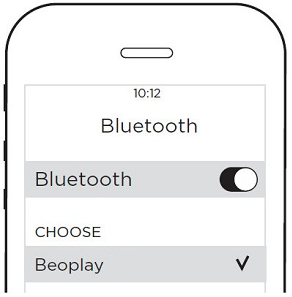
Connect to your favourite device
- Turn on Bluetooth on your device (phone, computer, tablet, etc.) to scan for new devices
- Earset will appear as an available connection
- Tap Earset to connect
- Your Earset are now ready to be used
Note: When switched on they will attempt to reconnect to previously paired devices automatically. You only need to move the switch to the Bluetooth (top) position for a few seconds right after switching on your Earset

