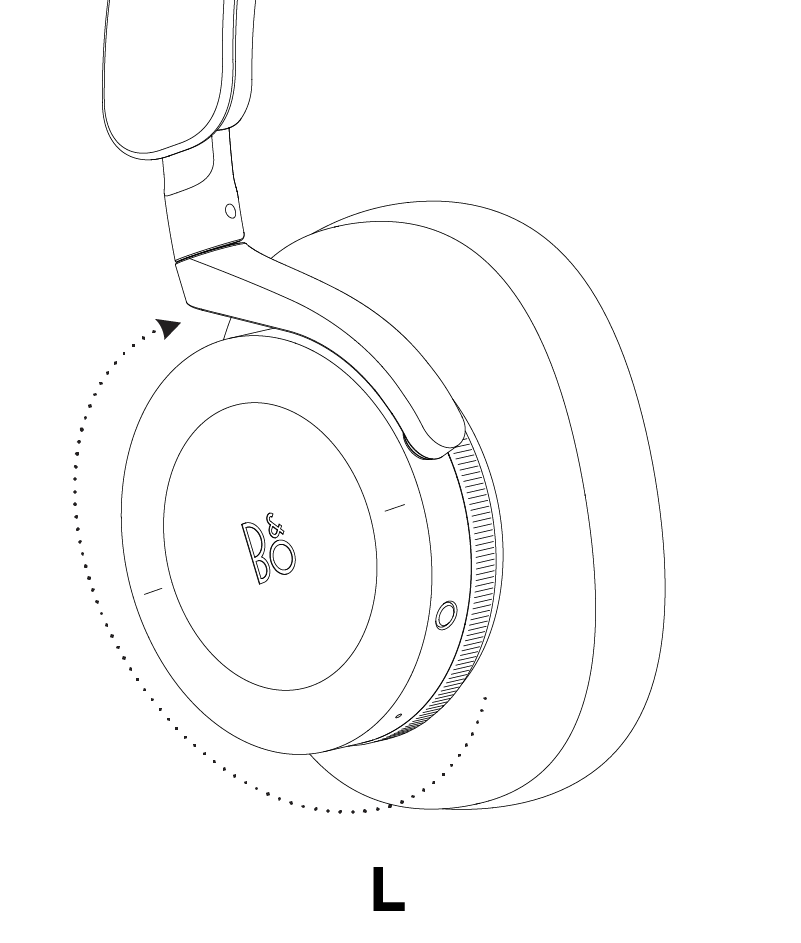
Use the dial on the left earcup to control transparency while Beoplay H95 are used in wireless or wired mode. You enable/increase the transparency mode by rotating the dial in a backward direction/counter-clockwise and disable/reduce transparency mode by rotating the dial in a forward direction/clockwise.
We are creating a brand-new support section for you, and this particular product group is not yet available, unfortunately.
For support of these products, we refer to the support pages accessed via the link below.
Chat support under construction
We are working on providing you with a brand-new feature.
If you need assistance with your product, please contact our service team through the contact form or by calling us.
Virtual Assistant
X
请选择您的语言
Vælg venligst dit sprog
Please choose your language
Veuillez choisir votre langue
Bitte wählen Sie Ihre Sprache
Por favor, elija su idioma